
WooCommerce launch checklist: prove the store is ready before you go live
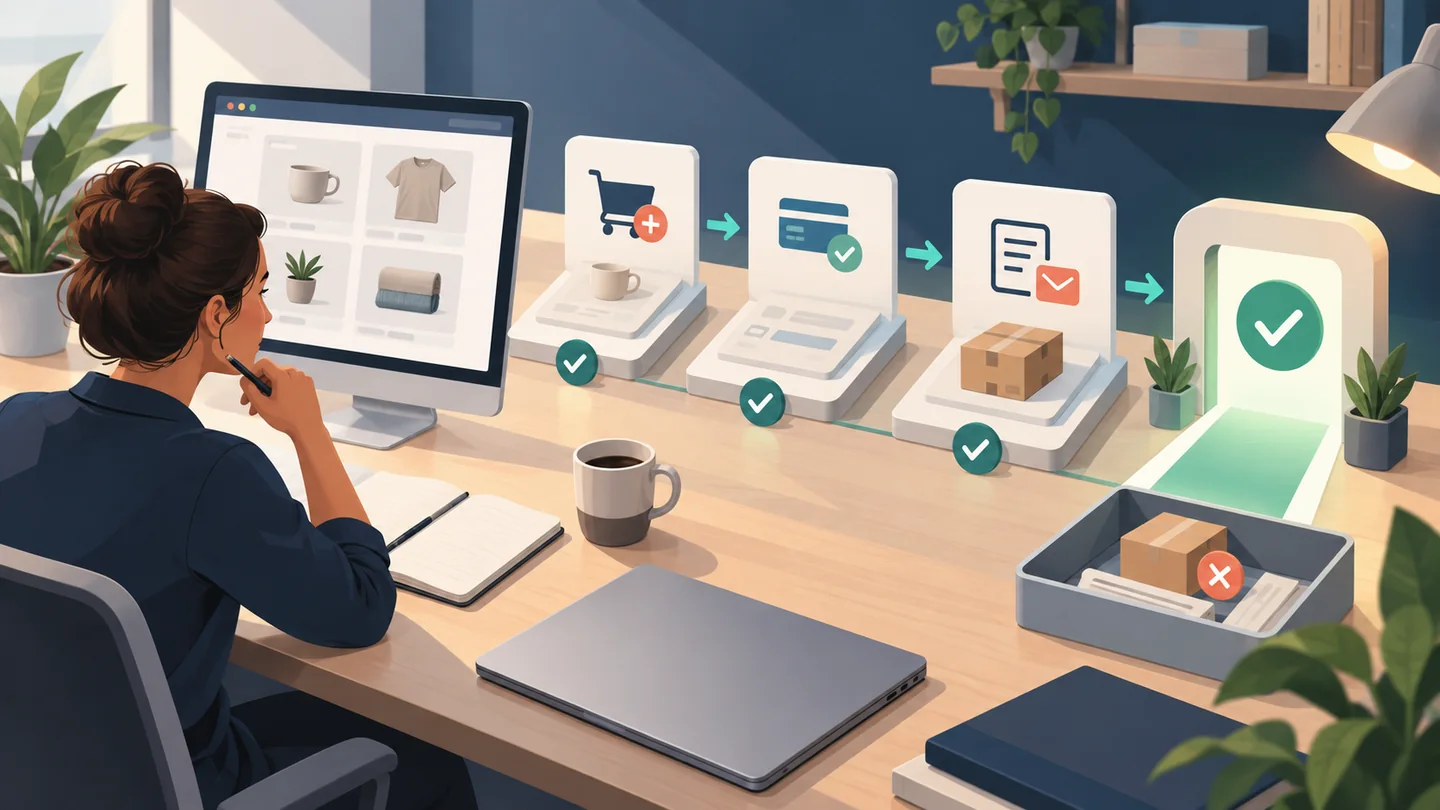
A WooCommerce store is not ready because its homepage looks finished. It is ready when the owner can follow one representative order from product page to payment result, order record, customer message and fulfilment—and show what happened at each step.
Use this checklist to make that decision. It is written for a small-business owner preparing a first WooCommerce launch, not for a developer trying to configure every setting from scratch.
The quick go-live rule
Do not launch while a failure can stop a customer from paying, create the wrong total, send an incorrect message or leave the team unable to fulfil the order. Fix those blockers, repeat the affected test and record the new result.
A cosmetic improvement that does not block or mislead a customer can usually enter a dated post-launch list. That distinction keeps a launch from being delayed by endless polish without excusing a broken purchase journey.
Never turn “not tested” into “pass.” If a live payout, carrier label or external integration cannot be proved on staging, keep it as an explicit pre-launch dependency with a named owner and test method.
Build the test record before placing an order
Choose a small set of orders that represents how the business will actually sell. Include the differences that change the journey, such as:
- a physical and a digital product, if you sell both;
- guest and account checkout, if both are available;
- each payment method you plan to show at launch;
- one valid and one invalid discount code;
- the main shipping or pickup routes you support; and
- a failed-payment path as well as a successful one.
Do not invent tax, shipping, refund or privacy rules during testing. The business owner supplies the approved regions, rates, policies and fulfilment instructions; the implementer proves the store follows them. A qualified adviser should resolve legal or tax questions.
Create one row per test:
| Test journey | Environment and mode | Expected result | What happened | Evidence | Owner | Decision |
|---|---|---|---|---|---|---|
| Guest, standard product, main delivery area, primary payment method | Staging; gateway test mode | Correct total; payment result; order recorded; confirmation received | Complete during test | Order reference, timestamp and redacted screenshots | Named person | Pass / fail / retest |
The record is more useful than a row of unticked boxes. It says which journey was checked, where it ran, whether money was simulated or live, when it was checked and who must resolve a failure.
1. Check products, cart and checkout as one journey
Start on a product page rather than in the WordPress dashboard. Check that the customer sees the correct product, variation, image, price and availability. Add it to the cart, change the quantity, remove it and add it again. Apply a valid discount code and an invalid one. Confirm that the response makes sense in both cases.
Then complete the same journey as a guest and with an account when both routes are enabled. Confirm that required fields are understandable, the chosen delivery option remains selected and the final review shows the products, discounts, shipping and total the owner expected.
WooCommerce's current ecommerce website launch checklist recommends testing the cart, guest and account checkout, shipping options and the order confirmation page. Your test record adds the acceptance layer: expected result, observed result, evidence and an accountable owner.
2. Separate a checkout test from proof that money moved
A payment gateway is the service that authorises and processes the customer's payment. Its sandbox or test mode can prove that checkout handles an approved or failed test response. It does not by itself prove that a live charge, refund or payout will reach the correct account.
Use a safe sequence:
- Run ordinary checkout and integration tests on a staging site—a private copy used for review before the public site changes.
- Use the payment provider's documented test mode and test credentials. Do not use a real customer's details.
- Confirm the success path, the failed-payment message, the WooCommerce order and the status applied to it.
- Record separately whether a controlled live transaction, refund or payout check is still required. Follow the payment provider's documentation and the business's authorisation for that check.
WooCommerce's test-order documentation warns that test orders can send normal emails, enter analytics and be treated as real by extensions. It also says WooCommerce gives test orders no special visual status and advises doing tests on staging. That is why “we placed a test order” is not enough: the record must say where it ran, which mode was used and which integrations were enabled.
3. Test totals against the business rules
Use representative delivery addresses and product combinations to check shipping options, pickup instructions, discounts and totals. The owner compares the result with the rules the business approved—not with what the tester assumes the rule should be.
For each supported region, record:
- which products can be delivered there;
- the delivery or pickup options shown;
- the charge and any free-shipping threshold;
- the tax treatment the business has approved; and
- what happens when the address or basket is ineligible.
If the result is uncertain, mark it unresolved. A launch checklist cannot decide where a business must collect tax or which policy it needs.
4. Follow the order after the thank-you page
The customer's confirmation screen is the middle of the test, not the end. Open the order in WooCommerce and compare it with checkout: products, customer details, delivery method, payment result and total.
Then follow the order through the route your team will use:
- confirm the expected order status appears;
- check whether stock changes as intended;
- verify that staff receive the right notification;
- verify that the customer receives the promised confirmation;
- test fulfilment, pickup or digital access where relevant; and
- check the refund or cancellation message if that route is part of launch acceptance.
For email, record the inbox used, message subject, received time and whether essential order information was correct. A log saying an email was “sent” is not evidence that the customer received it.
If the store passes data to accounting, shipping, customer relationship management or email tools, check the expected record in each connected system. Do not assume an extension recognises a test order; the official WooCommerce warning says some integrations may not distinguish it from a real one.
5. Repeat the journey on the devices customers will use
At minimum, repeat the representative order on a small phone and a desktop browser. If your audience relies on other devices or browsers, add them to the test matrix.
Check whether a shopper can read product and delivery details, choose a variation, dismiss an overlay, tap the controls, understand an error and finish checkout without horizontal scrolling or hidden fields. Test on a realistic connection rather than only the fastest office network.
This is not a request for one perfect performance score. It is evidence that a person can complete the important journey. If a measurement tool flags a problem, retain the affected URL, device, time and repeat conditions so the team can investigate it.
6. Check the operating safety net
Before go-live, ask for evidence that:
- the public site uses HTTPS, including cart and checkout;
- only necessary people have administrator access;
- WordPress, the theme and required extensions are on reviewed versions;
- a recent backup completed and the responsible person knows the restore process;
- test purchases are not being counted as real revenue or customers;
- measurement is collecting the events the business intends to use; and
- the privacy, shipping, return and contact information approved by the business is visible from the customer journey.
“Backups enabled” is a configuration statement. A dated successful backup and an understood restore route are stronger launch evidence. Likewise, an analytics tag installed on a page does not prove that purchase events are correct; compare a known test order with the recorded event and label the test data.
Clean up without deleting the evidence
When testing finishes, remove or clearly exclude test orders, customer records, subscriptions and analytics events according to the systems involved. Check that no test order can be packed, emailed again or included in a real sales report.
Keep the acceptance record, but minimise personal and payment data in it. A test reference, timestamp, redacted screenshot and result are usually more useful than copied customer details. Add a cleanup result to each row: removed, retained for a stated reason, or still pending.
Make the launch decision
Use four outcomes:
| Outcome | Meaning | Next action |
|---|---|---|
| Pass | The expected result was observed and retained | Approve this exact test row |
| Retest | A change was made or the evidence is incomplete | Repeat the affected journey; do not inherit the old pass |
| Block launch | The issue can stop payment, alter a total, mislead a customer, lose an order or prevent fulfilment | Assign an owner, fix it and retest before go-live |
| Unresolved dependency | The step needs a live account, outside decision or provider-specific check | Name the owner and due time; do not relabel it as passed |
Imagine a hypothetical shop that offers delivery and pickup. Its pickup order passes, but a delivery address receives the wrong shipping option and the confirmation email never arrives. The homepage, products and pickup journey can all look correct; the launch is still blocked for the advertised delivery route. After the shipping rule and email delivery are fixed, repeat that delivery order and attach the new evidence. Do not convert the earlier failure into a pass by changing the checklist text.
Before approval, read every unresolved row aloud. Decide whether it blocks the advertised launch journey, must be completed during a controlled go-live window, or requires removing that option from launch scope. Record the choice and who made it.
What to send a website partner
If you need help finishing or rebuilding the store, send the partner:
- catalogue size and product types;
- countries or regions you intend to serve;
- payment, shipping, pickup and tax dependencies;
- guest/account and discount requirements;
- the failed and unresolved test rows with affected integrations; and
- the evidence you require before approving launch.
That produces a more useful scope conversation than “please check the shop.” It also makes exclusions visible before a quotation or timeline is agreed.
WPShip builds custom WordPress sites, including scoped WooCommerce setups. If you are planning a store, request a WPShip build plan and bring the catalogue size, customer regions, payment and fulfilment routes, and this acceptance record. WPShip can then confirm what fits the proposed scope; this article does not promise a price, compatibility result or launch date.
The final question is simple: can the business show that a representative customer order works from first product view to fulfilment, with failures owned and retested? If not, the launch date is not the next task—the failed evidence is.